DNS Record Types Explained
How does a browser know where a website lives?
When you type www.YouTube.com into your browser and hit Enter, your laptop doesn’t know where YouTube is. It needs help.
That help comes from something called DNS.
So in this Blog i will try to explain what is actually a DNS and what are its types.
1. What is DNS
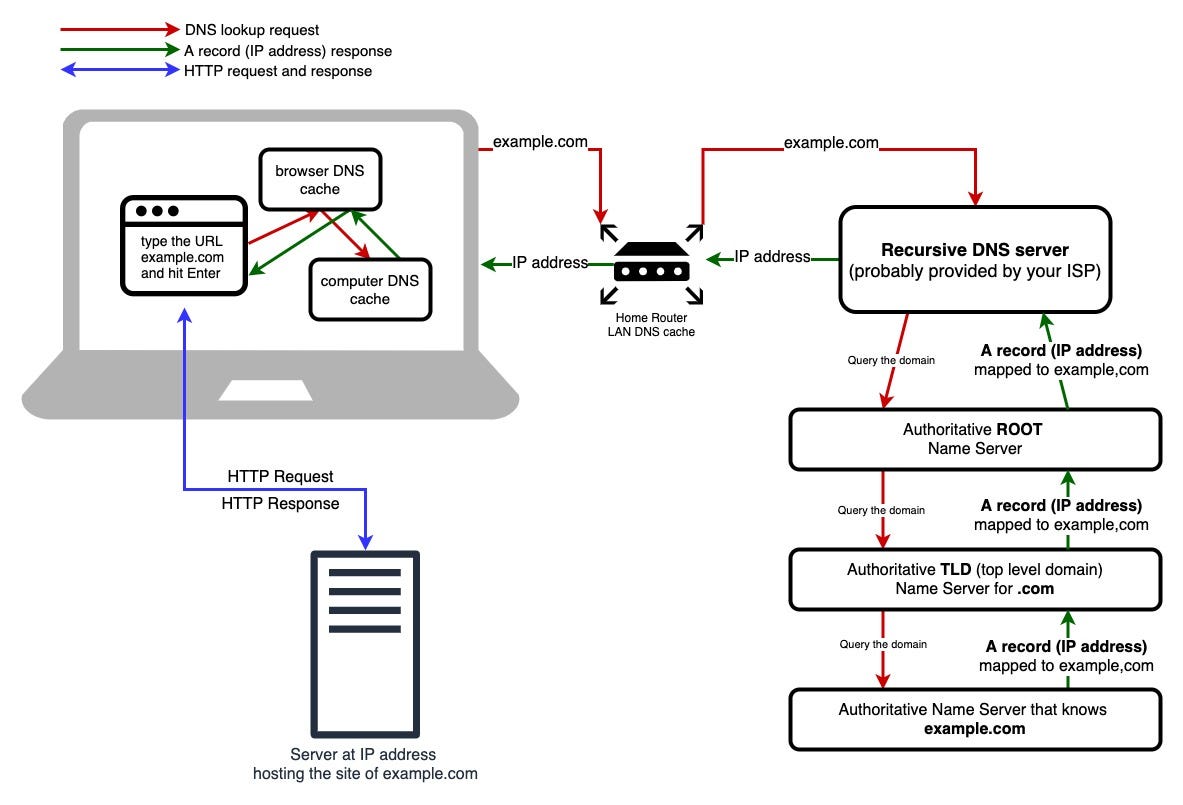
DNS (Domain Name System) is often called the internet’s phonebook.
We Humans remember names like
google.comBut Computers communicate using IP addresses like
142.250.182.14
DNS exists to map domain names to IP addresses so that humans don’t have to remember numbers. Without DNS, we would need to type IP addresses directly into browsers, which is impractical and error-prone.
2. Why DNS records are needed
DNS alone isn’t enough.
DNS needs records to answer different questions, such as:
Who manages this domain?
Where is the website hosted?
Where should emails be delivered?
Is this domain verified?
Each DNS record solves one specific problem
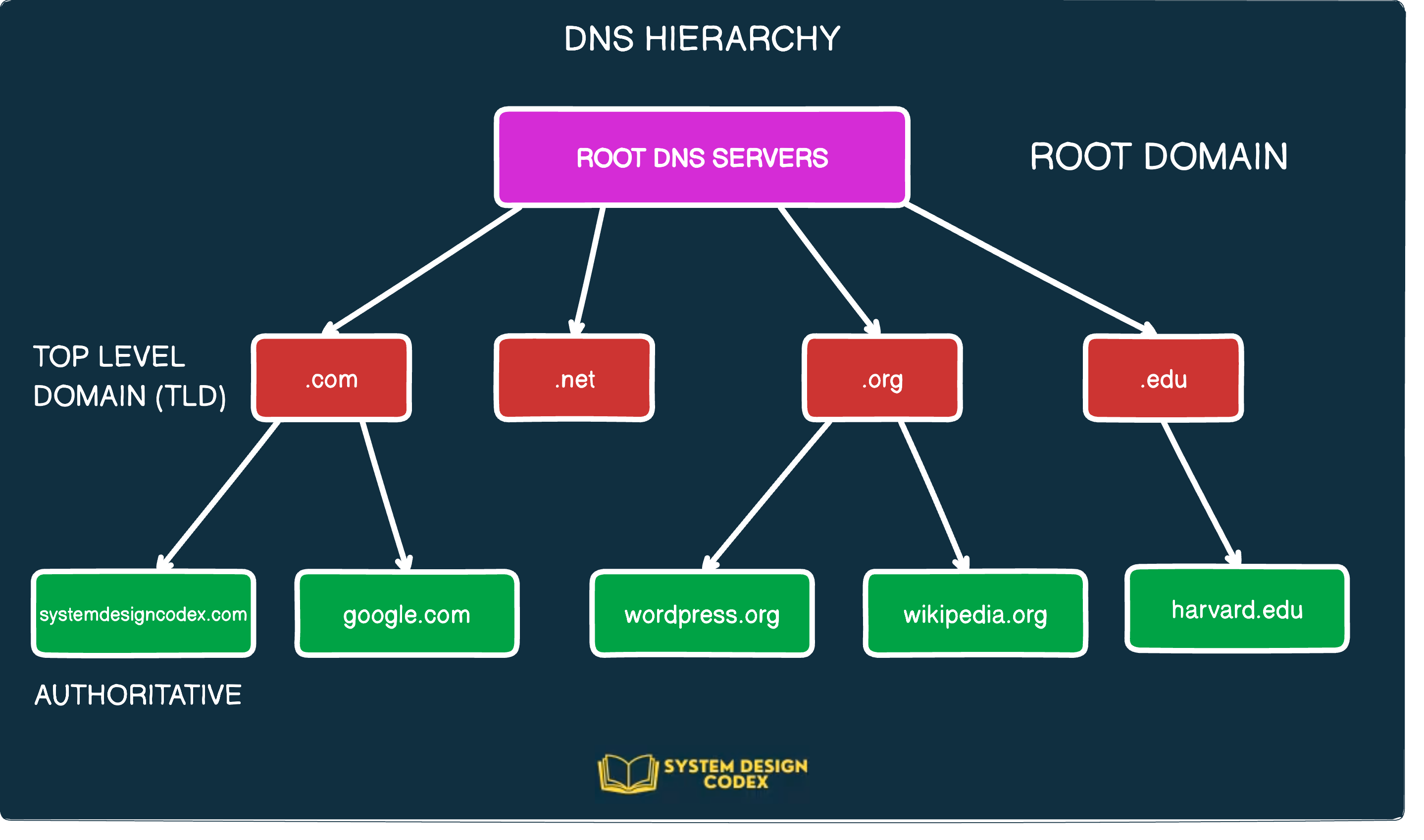
3. What is an NS Record
NS = Name Server
A nameserver is a type of DNS server. It is the server that stores all DNS records for a domain, including A records, MX records, or CNAME records.
An NS record answers this question:
“Who is responsible for this domain?”
NS records tell the internet which DNS server is the authority for a domain.
4. What is an A Record
A = Address
It indicates the IP address of a given domain.
An A record answers:
“Where is the website located”
When someone types your domain name, the browser asks:
“Give me the IP address”
And the A record replies with the exact location.
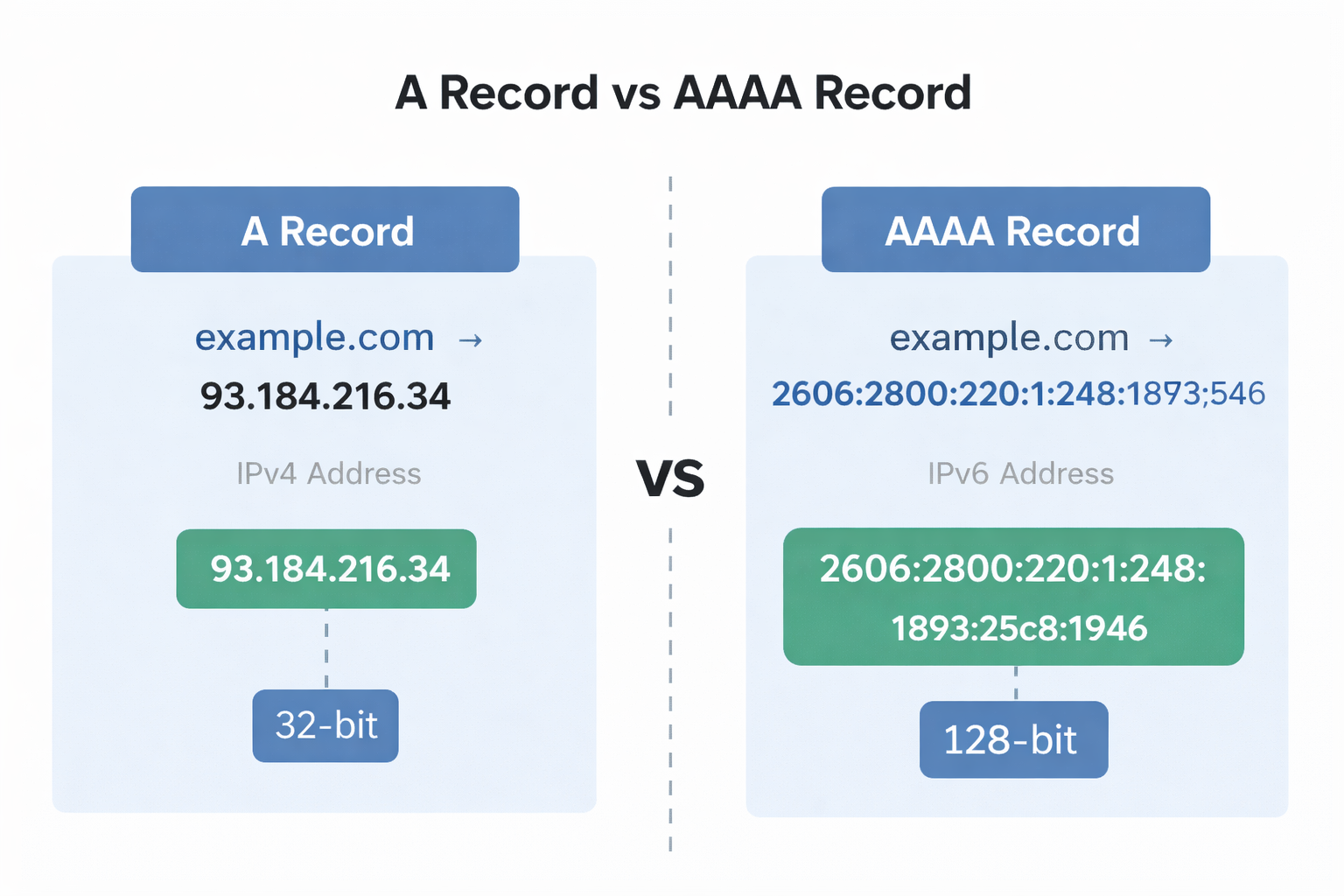
*A records only hold IPv4 addresses.
5. What is an AAAA Record
AAAA record does the same job as A record, but for IPv6.
A → IPv4 (older, shorter)
AAAA → IPv6 (newer, longer
6. What is a CNAME Record
CNAME = Canonical Name
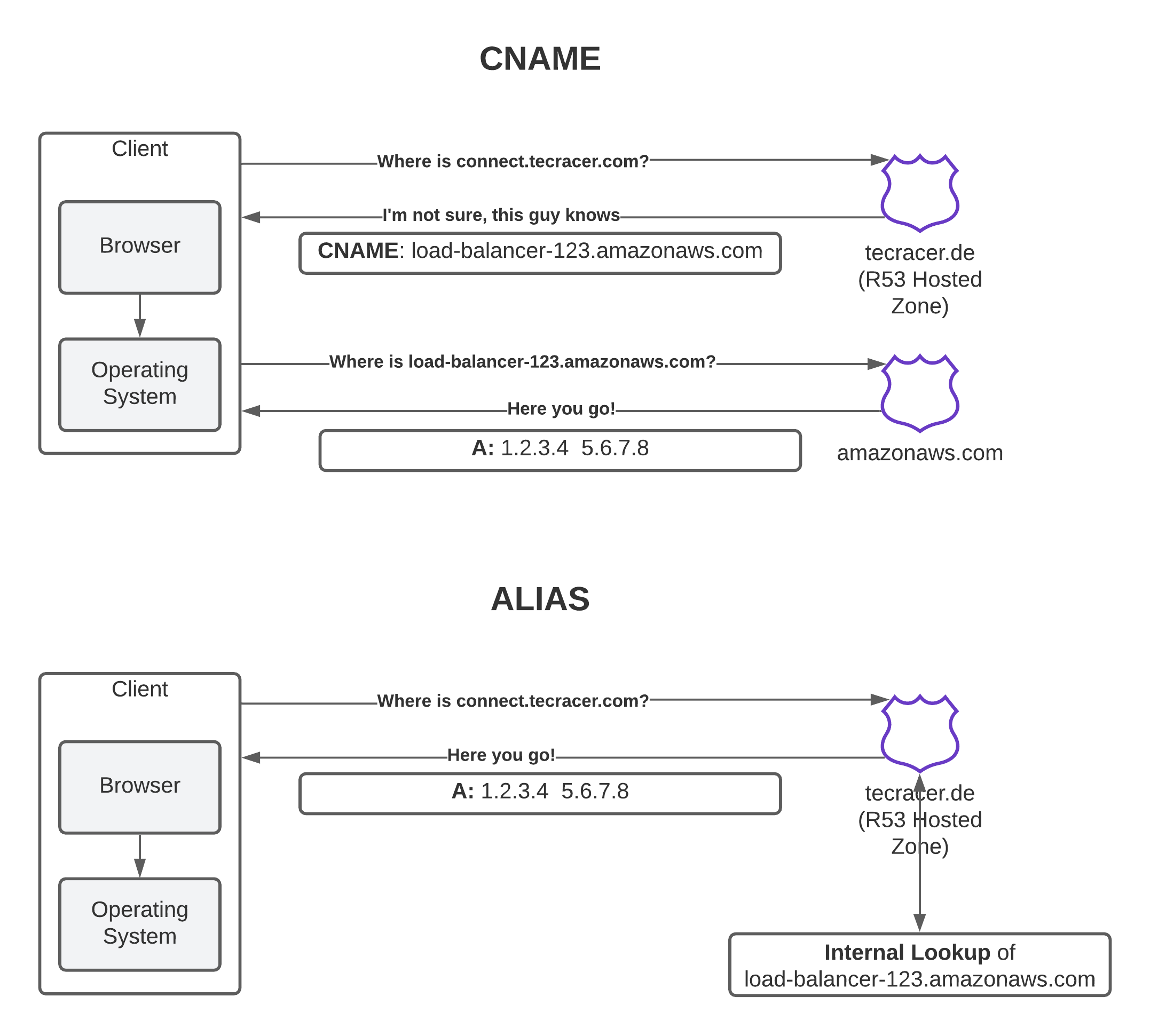
A CNAME record is used in lieu(instead) of an A record, when a domain or subdomain is an alias of another domain. All CNAME records must point to a domain, never to an IP address.
A CNAME answers:
“This name is just another name for that domain.”
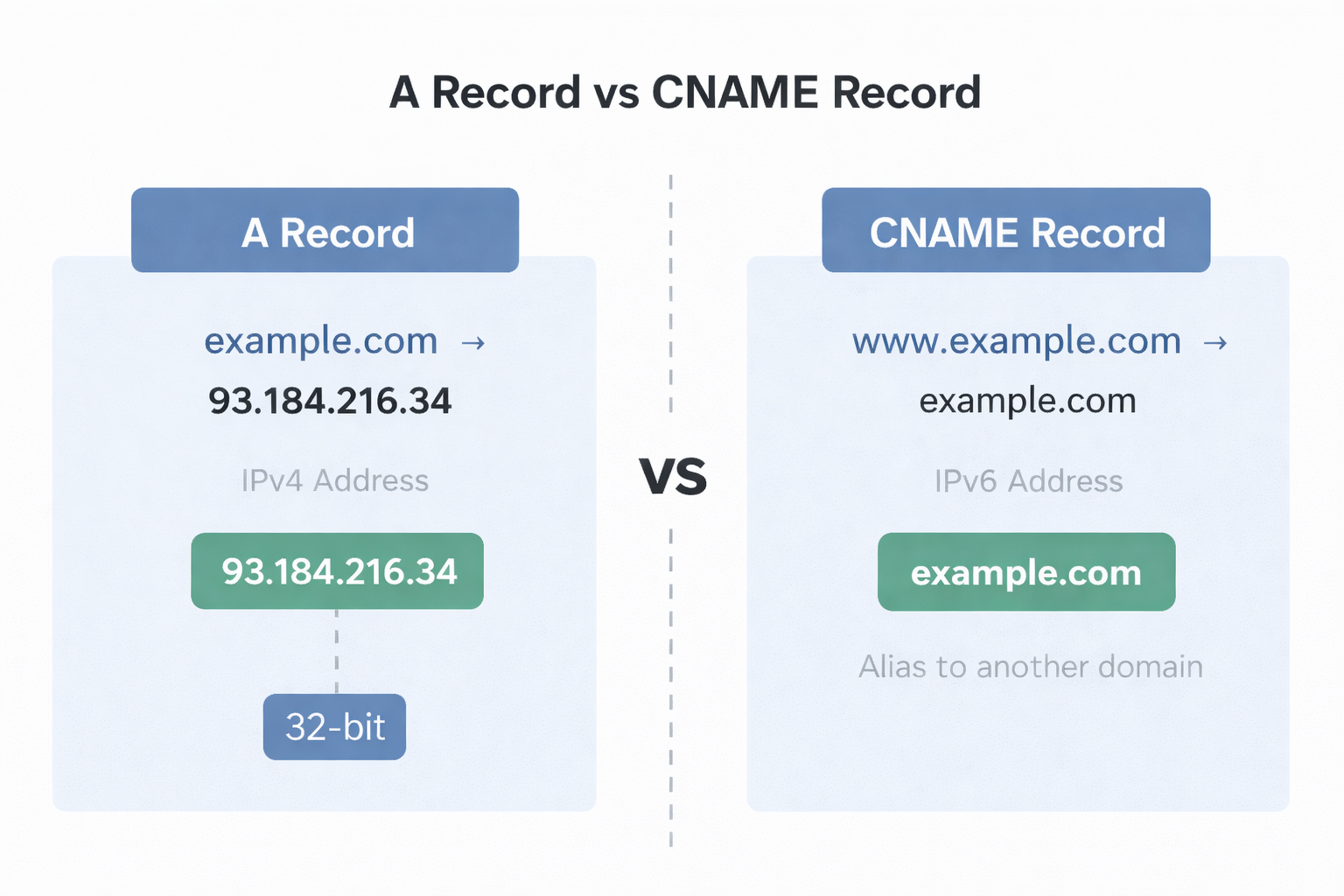
A vs CNAME :
A record points to an IP address
CNAME points to another domain name
7. What is an MX Record
MX = Mail Exchange
A DNS 'mail exchange' (MX) record directs email to a mail server. The MX record indicates how email messages should be routed in accordance with the Simple Mail Transfer Protocol (SMTP, the standard protocol for all email).
MX records answer:
“Where should emails for this domain go?”

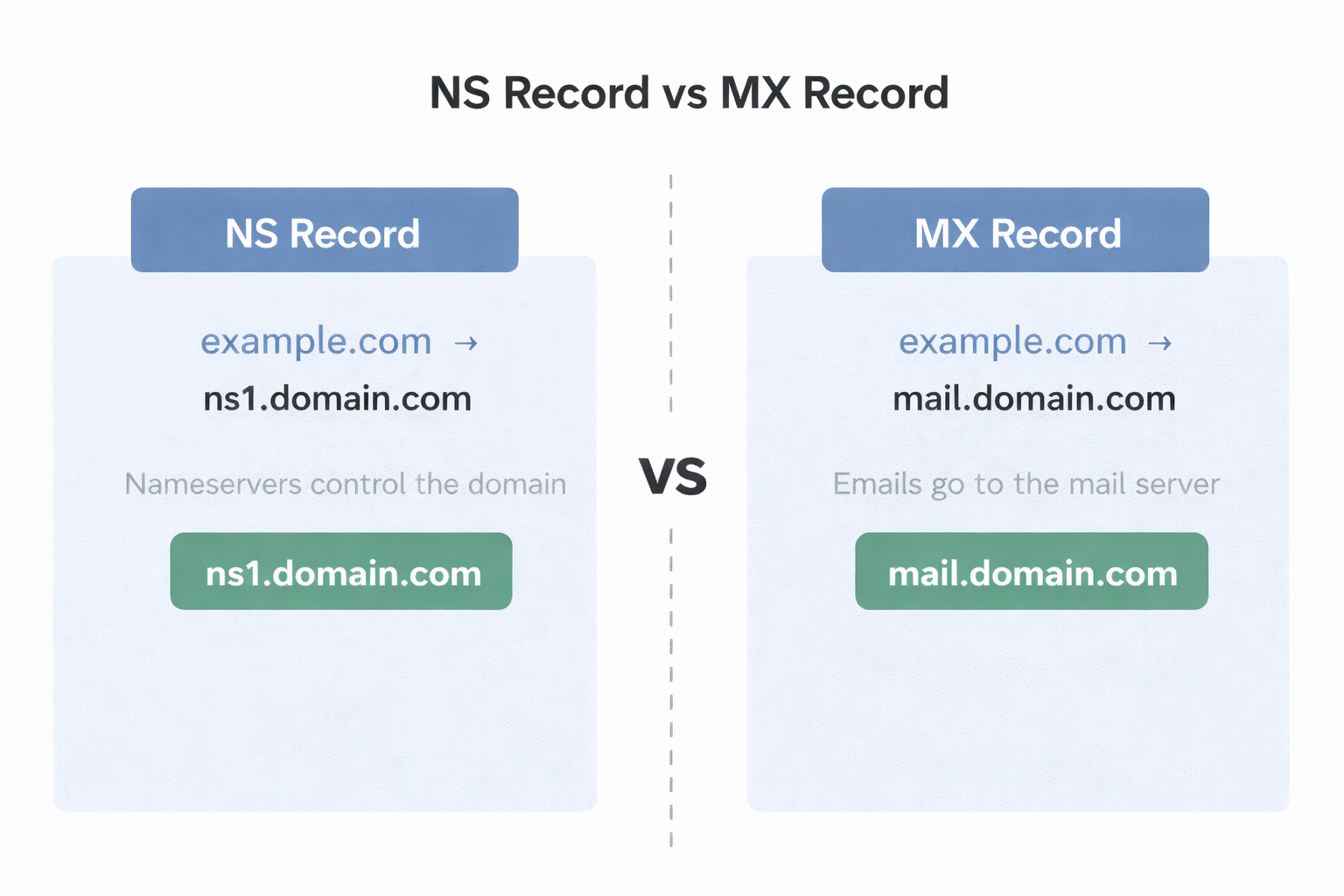
NS vs MX :
NS → who controls the domain
MX → who handles emails
8. What is a TXT Record
The DNS ‘text’ (TXT) record lets a domain administrator enter text into the Domain Name System (DNS). Text is stored in the form of one or more strings within quotation marks.
TXT records store text information.
They are used for:
Domain ownership verification
Email security (SPF, DKIM)
Connecting services like Google, GitHub, etc.
9. How all DNS records work together for one website
Let’s imagine a domain: YouTube.com
Here’s what happens:
NS record
→ Tells which DNS server is responsibleA / AAAA record
→ Tells where the website livesCNAME record
→ Handles aliases like wwwMX record
→ Routes emails correctlyTXT record
→ Verifies domain and secures emails
Conclusion :
A single domain doesn’t rely on one record.
It uses multiple DNS records together, like a team.